Help
MT5 setup
Screenshots show only the required windows. Real account numbers, names, and tokens have been removed.
Contents
What you need
The Qubitrino Bridge EA sends your account's trading events to the platform. It does not trade or modify positions — it only reports data. MT5 logins and passwords are never transmitted.
- An open MetaTrader 5 terminal on your computer.
- An account in Qubitrino created after uploading your evening report.
- A token from your cabinet and EA version 0.2.0.
Get a token
- Open «MT5 setup» in your cabinet.
- Find the required account and click «Issue new token».
- Copy the value immediately: it is shown only once. The platform stores only the token hash.
The token is valid for 180 days. «Reissue» revokes the selected token and shows a new one; «Revoke» denies access without issuing another. A second account requires its own token.
Allow WebRequest
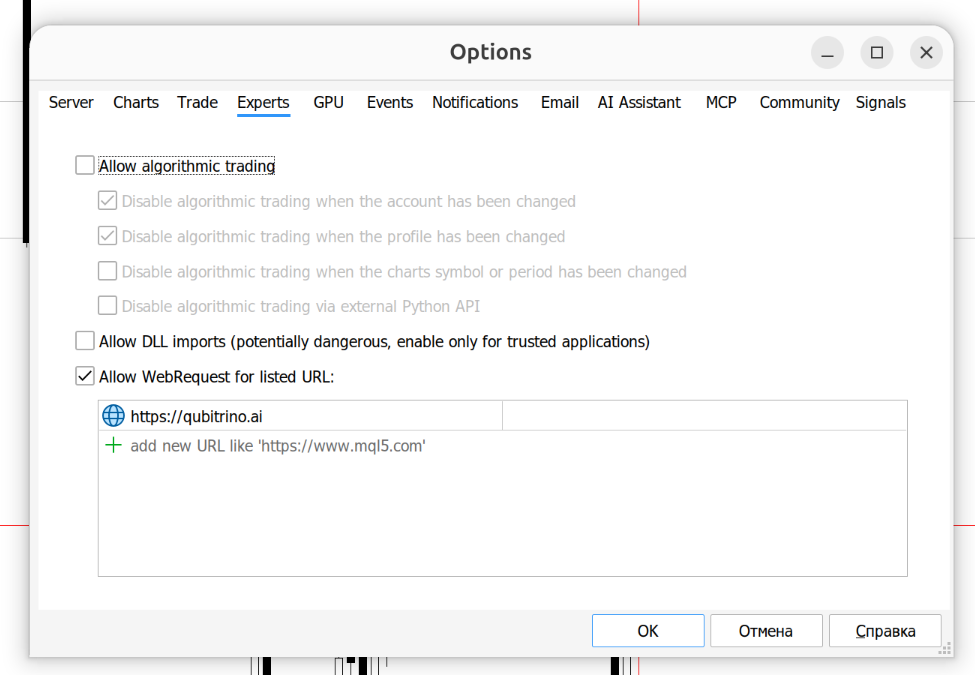
In MetaTrader 5, open «Tools → Options → Expert Advisors», enable «Allow WebRequest for listed URL», and add the platform address:
https://qubitrino.ai
Enter the scheme and host only, without a path. Without this permission, the EA cannot send events.
Install the EA
- In MT5, open «File → Open Data Folder».
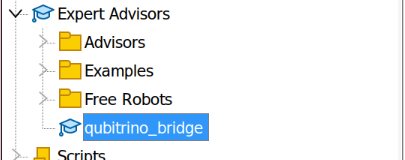
- Copy the downloaded qubitrino_bridge.mq5 into the MQL5/Experts/ subfolder.
- Open the file in MetaEditor and press F7: compilation must finish with 0 errors. A ready qubitrino_bridge.ex5 will appear next to it.
The EA is named qubitrino_bridge in the Navigator.
Attach to the account
- Drag the EA from the Navigator onto any chart of the required account: it monitors the whole account, not the chart symbol.
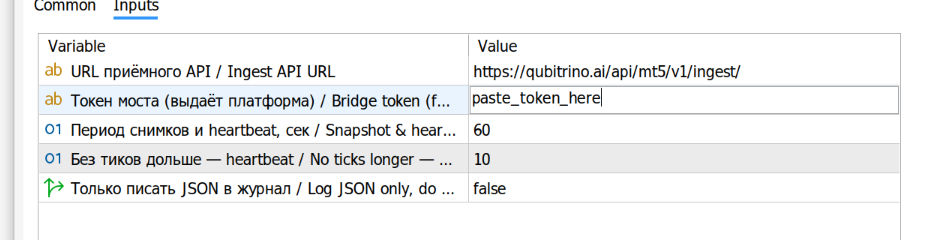
- In the inputs, enter the ingest API address and the token from your cabinet.
- The «Algo Trading» button is not required: the EA places no trades.
Ingest API address: https://qubitrino.ai/api/mt5/v1/ingest/
One EA per account. For a second account, repeat the setup on another chart with its own token.
Verify the link
The Experts log should show a start line with ea_version 0.2.0 and no HTTP errors. Immediately after startup, the EA sends a positions snapshot; in a quiet market, it sends a heartbeat once a minute.
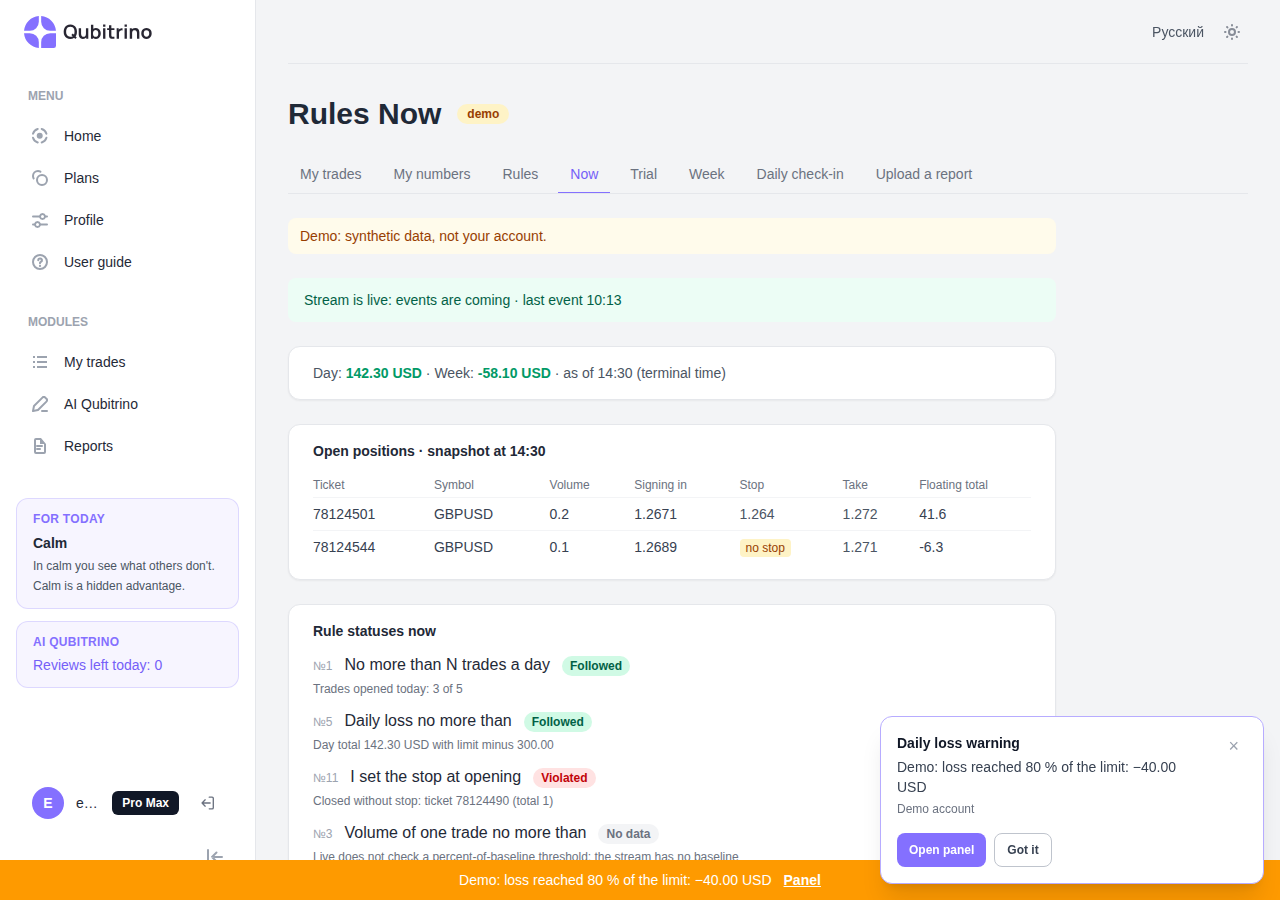
On the platform, the stream state is shown in the «Rules right now» panel. If the stream is silent or required fields are missing, the platform reports «No data» rather than «All good».
Limitations
- The Strategy Tester is not supported: WebRequest is unavailable there.
- On a connection loss, the EA queues events and delivers them after recovery; if the buffer overflows, the next snapshot is marked recovered.
- A single-deal position reversal in netting mode is reported as a close; the opening of the opposite position is not tracked.
- Alerts are visual only: no sound, Telegram, or email. A closed tab has no alerts.
- The live layer does not change «My numbers» or reports: the evening MT5 report remains the source of truth.